01 / TODAY
A day you can read at a glance
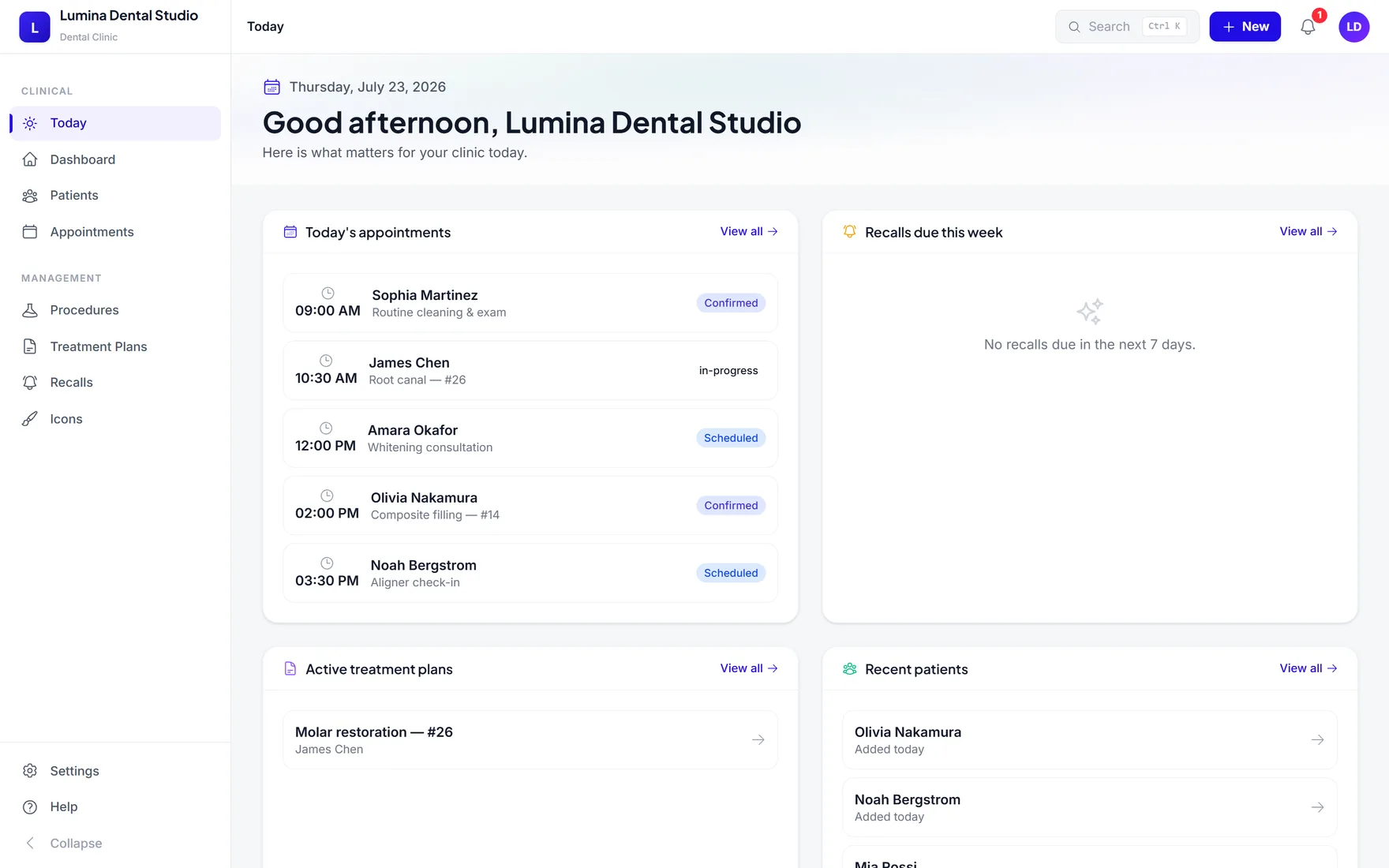
Appointments, arrivals, chair status, and the next action share one calm view.
Today · Appointments
Scheduling, FDI charting, treatment plans, billing, and recalls stay connected—so reception and chairside stop retyping the same visit.
No card required · Free for up to 5 patients
Reception, chairside, and checkout work from the same visit story. Each step adds context instead of starting over.
Reception opens the day list, checks the patient profile, and surfaces anamnesis flags before arrival.
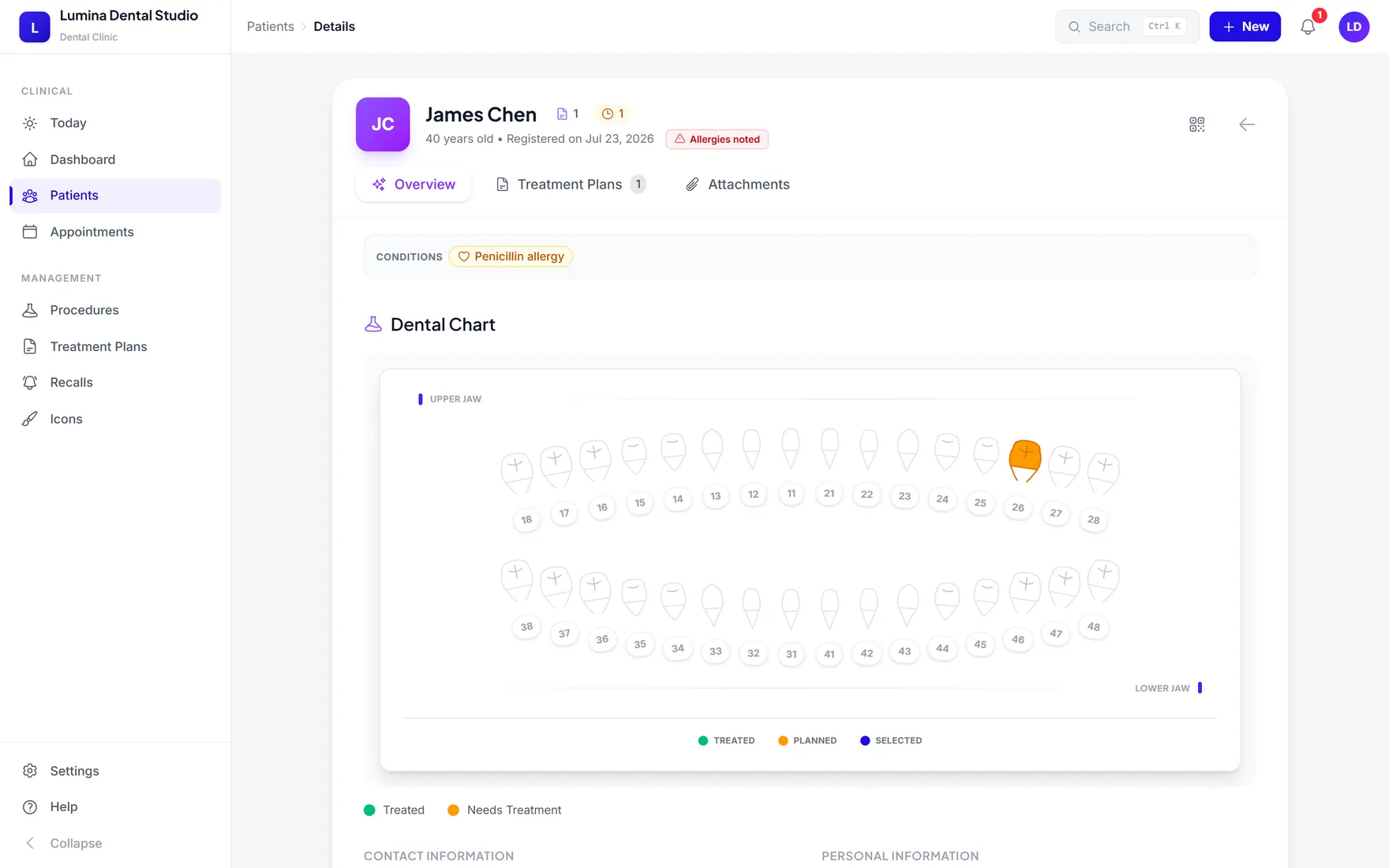
The dentist marks the FDI chart, adds procedures, and dictates the note while the visit is still fresh.
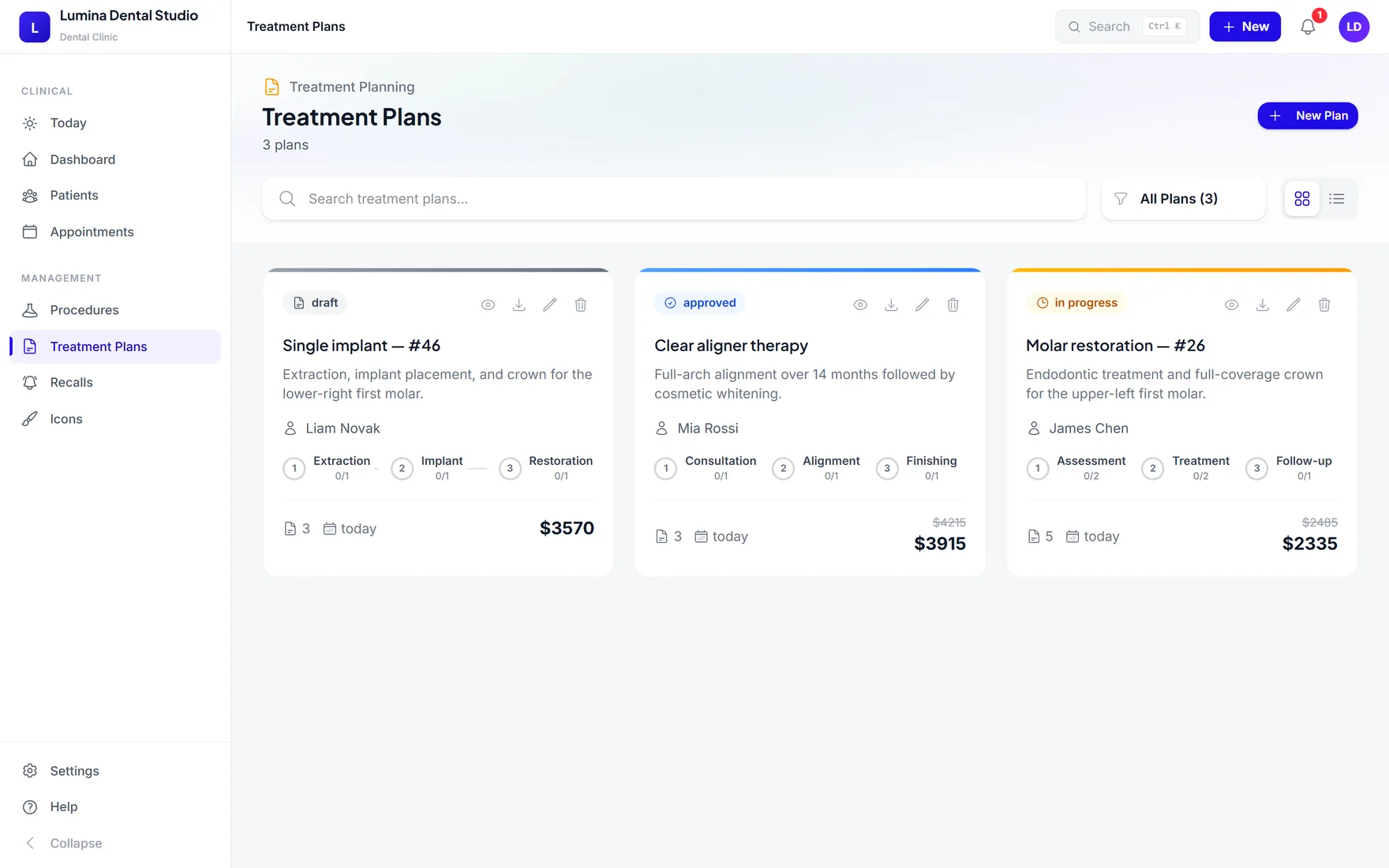
Reception reviews the plan, handles the invoice, and schedules the recall. Nothing is retyped.
Reception, chairside, and checkout work from the same visit story. Each step adds context instead of starting over.
Reception opens the day list, checks the patient profile, and surfaces anamnesis flags before arrival.
The dentist marks the FDI chart, adds procedures, and dictates the note while the visit is still fresh.
Reception reviews the plan, handles the invoice, and schedules the recall. Nothing is retyped.
The patient profile, anamnesis, FDI chart, treatment plan, and notes stay in one readable workspace—available to signed-in clinic staff in the browser.
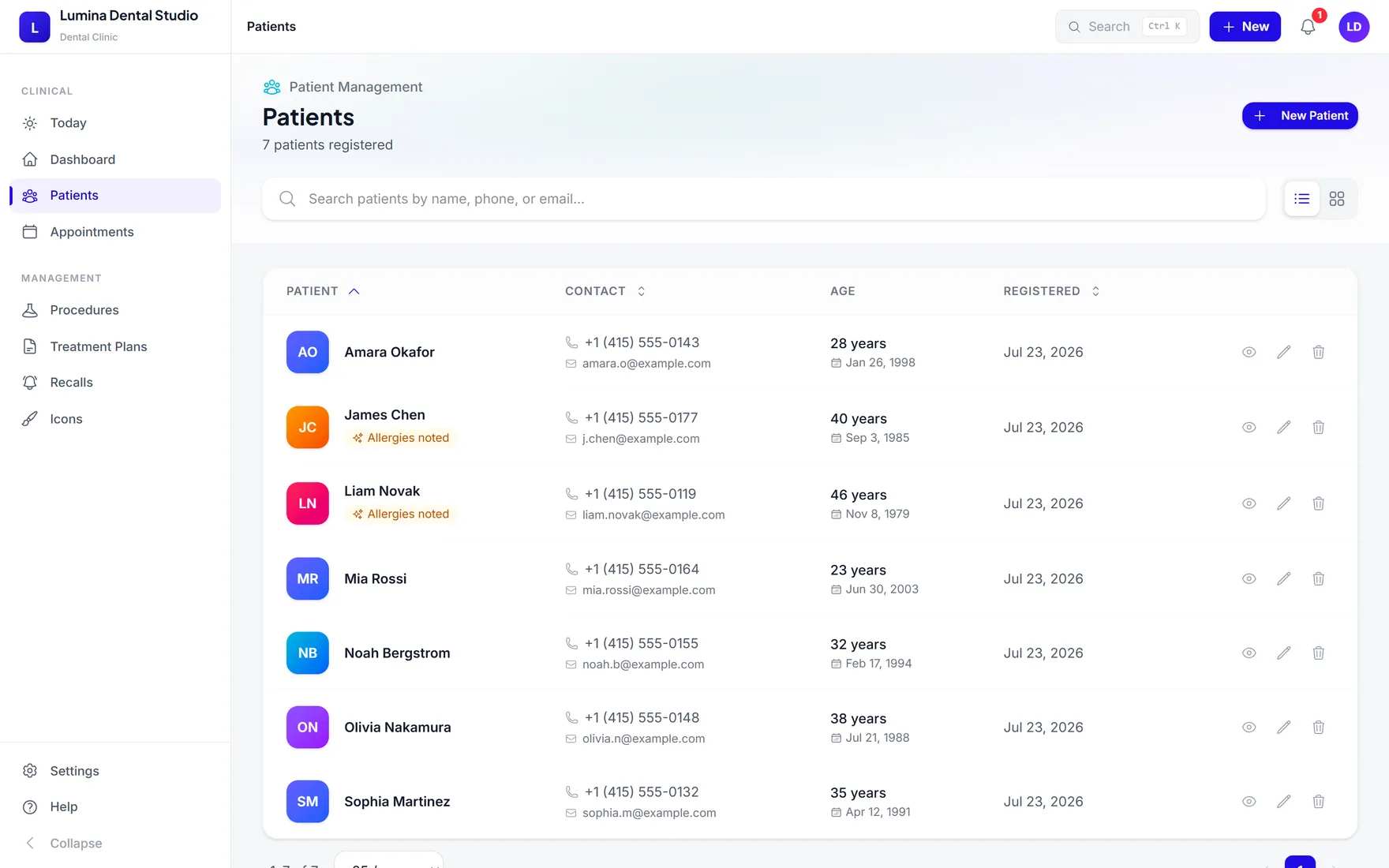
FDI 36A finding becomes a procedure, then a planned visit.
Product interface · demo data
Every module has a clear job, but the patient context follows through the whole visit.
01 / TODAY
Appointments, arrivals, chair status, and the next action share one calm view.
Today · Appointments
02 / RECORD
Profile, anamnesis, images, files, notes, and visit history live in one record.
Patients · Anamnesis
03 / CHART
Use an interactive FDI odontogram to record findings and completed or planned work.
FDI chart · Procedures
04 / PLAN
Build multi-visit treatment plans with procedures, estimates, and readable next steps.
Treatment plans · Estimates
05 / FOLLOW-THROUGH
Keep invoices, balances, recalls, and clinic analytics close to the patient record.
Invoices · Recalls · Analytics
06 / DICTATION
Dictate chairside notes, review the structured draft, then add it to the patient record.
AI voice note · Editable preview
Every module has a clear job, but the patient context follows through the whole visit.
Explore the live demoStart with five patients and the core clinical workflow. Paid plans add capacity and front-desk operations without moving your records.
Prices are per clinic, billed monthly in USD. Cancel anytime from the billing portal.
Plan / free
For trying TeethPlanning in real clinic work.
Plan / pro
For a working clinic: unlimited patients, recalls, and dictated notes.
Plan / clinic
When reception handles billing, analytics, and consent forms too.
Payments are handled by Dodo Payments. A 14-day refund policy applies to the first paid month. refund policy.
TeethPlanning is designed for small clinics that need the whole visit to stay understandable from the first appointment to the next recall.
The record should carry the visit. Reception and chairside should not rebuild the same story in separate tools.
FDI charting, anamnesis, and plans deserve precision—but the screen should still feel calm during a busy day.
Try the real workflow with five patients, then choose capacity and front-desk tools when they become useful.
What clinics usually want to understand before opening their first patient record.
In your clinic's TeethPlanning account on our servers, transferred over HTTPS. Records are tied to your clinic sign-in rather than one computer.
Your existing records keep working. You cannot add a sixth patient until you upgrade, and upgrading does not move or re-enter any records.
The Free plan includes 500 MB for patient photos and file attachments; paid plans have no storage cap. If you reach the limit, everything already uploaded stays accessible — upgrading simply lets you add more.
Yes. TeethPlanning is a web app and day-to-day clinic work requires an internet connection.
Open TeethPlanning on another computer and sign in to the same clinic account to continue with your records.
Yes. Clinic staff can use the same clinic account so reception and clinicians work from the same patient record.
Records are scoped to the signed-in clinic account and transferred over HTTPS. Payments are handled separately by Dodo Payments, which does not receive patient records.
Use a modern desktop browser. Chrome and Edge provide the best experience for voice dictation.
Cancel from the billing portal or contact support. Existing records remain available; plan limits apply to adding new patients.
Open a free clinic account, add up to five patients, and see how the workflow fits before choosing a paid plan.
Need patient records? Clinical app sign in
Help us improve TeethPlanning
We would like to measure which pages clinics find useful. No patient data is involved and we do not use advertising. Read our privacy policy